|
<< Click to Display Table of Contents >> Register Multiple Devices with App |
  
|
|
<< Click to Display Table of Contents >> Register Multiple Devices with App |
|
1.Tap “Devices” on app screen
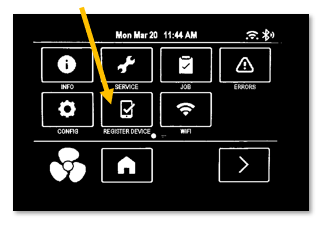
2.Tap device’s Command Hub screen, then touch main menu: 
3.Tap > to go to next screen on Command Hub
4.Tap REGISTER DEVICE
5.In app, select camera
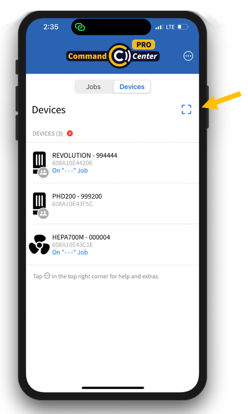
6.Tap two-person icon if rented
7.Scan QR code on Command Hub screen
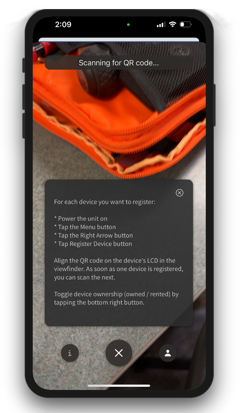
8.Leave app in camera mode after first device scan, then scan other devices’ QR codes before tapping “X” to exit camera scan mode